 design-infra
Animation-library website with a vivid hero surface, stable copy panel and a cursor-influenced graphic that demonstrates the product.
Why it is here
The user says: "I like the motions up top and how my cursor influences it." They want that expressive interaction on the existing design-infra homepage.Reproduce it with
Catalog pieces that rebuild its patterns.

Visit the live reference. Captured images stay in .context/inspiration/motion/; no website assets, fonts, shader code or premium source are redistributed.
What the user likes
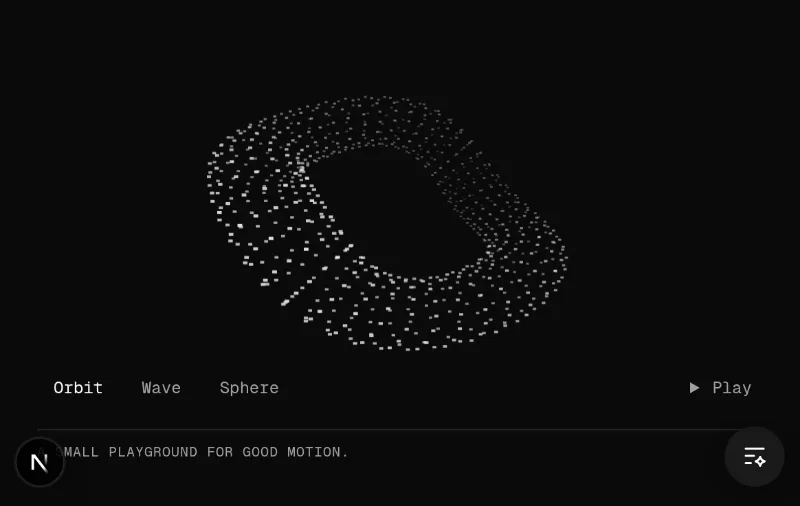
The header demonstrates motion rather than explaining it entirely in words. The user specifically likes the animated graphic and being able to influence it with the cursor. Preserve a readable headline and reliable controls while giving the illustration enough space to be memorable.
Observed layout and typography
The inspected desktop hero has a vivid yellow surface and a dark rectangular copy panel on the left. Its heading, actions and framework labels remain separate from the graphic. Navigation is compact. Sans-serif display copy contrasts with small uppercase mono labels. The capture records TASA Orbiter and Geist Mono; font identity and redistribution rights are not inferred from those names. Design-infra retains its existing Geist typography and dark surface instead of adopting the reference's brand.
Below the header, the site groups animation capabilities into illustrated examples, followed by examples, documentation and product material. That is a library marketing outline, not a template for every project.
Motion and inspection limits
The hero contains a brand-ascii-canvas. The reference's GPU-rendered graphic did not become visibly usable in this VM's desktop/mobile captures, even with a software adapter. The user's description establishes that their cursor affects the live graphic; our captures establish its surrounding composition. Exact graphic geometry, timings and pointer forces are not claimed as observed.
oc/kinetic-field is an original interpretation: a projected field of small rectangular marks, three morphable forms, spring-based cursor tilt and local displacement. It uses the installed free motion/react library and Canvas 2D, with an immediately rendered SVG fallback. It is not a reproduction of Motion's logo, shaders or proprietary website implementation.
Reusable starting points
| Pattern | Catalog starting point | Adaptation |
|---|---|---|
| Interactive header illustration | oc/kinetic-field | Keep copy and controls outside the drawing; use a scoped accent and bound the graphic's space |
| Spring-based pointer response | motion/follow-pointer-with-spring | Use free Motion values/springs; leave text and hit targets stable |
| Magnetic component shapes | smoothui/magnetic-field | Use original or licensed component illustrations; measure real interaction and cleanup |
| Lighter hover treatment | magicui/interactive-grid-pattern | SVG cells with a restrained accent, useful when a continuous illustration is excessive |
How to apply
For the catalog homepage, retain the current two-column introduction and copy-to-agent panel. Add one bounded interactive illustration above the headline and a small pause/play control. Display a useful static composition without JavaScript or Canvas; start static with reduced motion or a coarse pointer, with explicit play available. Stop animation while offscreen or hidden. Do not obstruct text, links, scrolling, keyboard focus or the copy action.
For data, docs and editorial products, apply this as a selective introduction or illustration rather than continuous motion around working controls. A page's content and task still determine its structure.